
New: Contactless Redemption on meed

Redeem Coupons and Rewards in 5 seconds or less

This new feature is a massive quality of life upgrade when using meed in-store and a huge time-saver.
When your customer is in-store, they can select the reward they want to redeem and tap the new Redeem Now button. Your device, with the meed Business App installed, receives an instant notification. Tap it, and the meed Business App opens on the redemption page. A couple more taps, and it is redeemed. There is no need to scan your member’s pass.
This saves time for everybody and helps queues at the till/POS move faster, especially important at busy hours.
Why this matters
This saves you a lot of time. It eliminates the need to find/open the app and scan your customer’s pass. In one tap, you will cut straight to the redemption screen with the reward or coupon pre-selected.
Examples where Contactless Redemption helps
In busy coffee shops, especially at rush-hour when you need to move the queue quickly. You can now redeem free coffee rewards probably faster than you can operate the POS.
When using temporary or voluntary staff. Now they don’t need to learn how to use the Business App, they simply respond to the prompts.
At a weekend market stall, craft fair, or short-term pop-up, staff usually have limited space, high bursts of traffic, and very little time to navigate screens, so jumping straight from the phone notification to the redemption screen can keep the queue moving.
In an indie fashion, gift, or beauty boutique during a launch, trunk show, or holiday rush, one team member is often juggling styling, wrapping, checkout, and loyalty redemptions at the same time, so shaving even a few seconds off each interaction helps.
What you need to do
We recommend doing one thing now to ensure the notifications are received. Log out and log back in to the meed Business App using the login and password you created when you set up your stamp card and loyalty program on meed. This will ensure the device is registered with our system and receives in-app notifications.
It is okay to close the app (i.e., swipe up), but don’t log out.
How it works
Contactless redemption is intuitive, but your customers might need a little guidance the first time they use it. Here is the entire process step by step.
For Consumers
Consumers need to find their way to their meed wallet on the web. They can do this in one of three ways.
1 - Log in via their Apple or Google Pass

From their phone's wallet, select Pass Details and tap the See My Rewards link. This will open your loyalty program on meed without requiring them to log in.
2 - Scan the QR code again
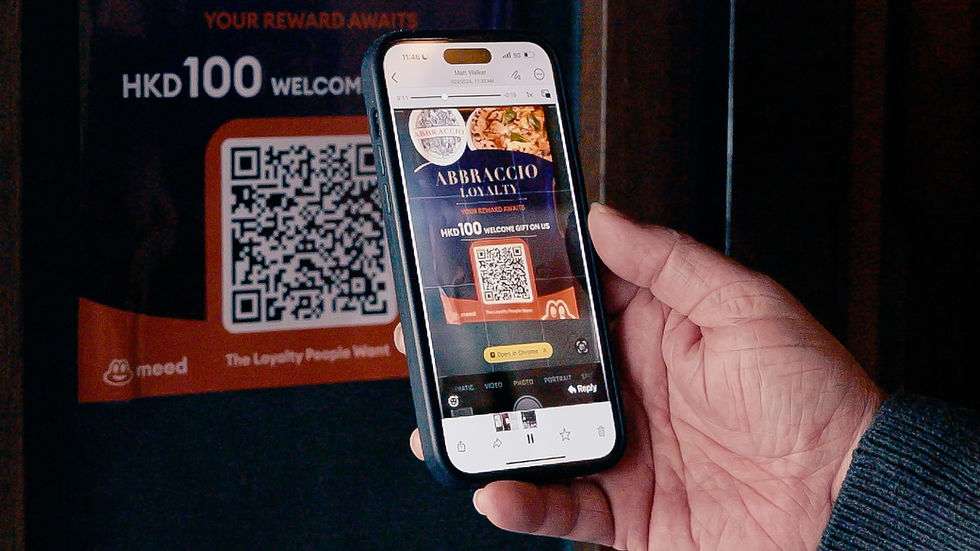
If they scan the same QR code they used to join, this will log them into their meed account and take them to the page for your program. Any coupons or rewards available to redeem will be immediately visible. This is the best method if they have not added your program pass to their phone wallet.
3 - Direct access via their browser

They can open https://app.meedloyalty.com on their mobile browser. After logging in via Face ID or a one-time SMS password, they should click “My Loyalty Cards,” tap their membership card in the list, and then Tap to view program details at the top with the selected card.
All three of these options will lead them to the screen with the reward to be redeemed.
Redeeming the reward

In the program screen, ask your customer to:
Tap the reward
Tap Redeem Now
That’s it! Now it is over to you.
For Businesses (You!)

You will receive an instant notification on your phone that a member wants to redeem a reward.
Tap the notification
If you operate more than one location, the app will ask you to select the location where you are redeeming the reward. If you only have one location in your program, you will not see this screen. Tap the location.
You will now see the member's name and the reward or coupon they are redeeming, pre-selected. Tap Confirm Redemption at the bottom of the screen.
On the Complete Pending Redemption Page, tap Confirm, then tap Reconfirm.
You have now redeemed the reward. You can always check the analytics in the meed Business Portal later to view your redemption records.
In practice, these four or five taps take 2 to 3 seconds, keeping the queue at the payment station moving along nicely!


Comments